エージェントに編集案を提案するよう依頼してください。

エージェントは、変更を直接行うのではなく、変更を提案できるようになりました。エージェントに編集案を提案するよう依頼し、上から順に確認してそれぞれを承認してください。文法の修正など、行単位での変更が必要な場合に最適です。
まずはエージェントに「編集案を提案」するよう依頼してください。

最新のリリース、改善点、修正点をご覧ください。
エージェントは、変更を直接行うのではなく、変更を提案できるようになりました。エージェントに編集案を提案するよう依頼し、上から順に確認してそれぞれを承認してください。文法の修正など、行単位での変更が必要な場合に最適です。
まずはエージェントに「編集案を提案」するよう依頼してください。
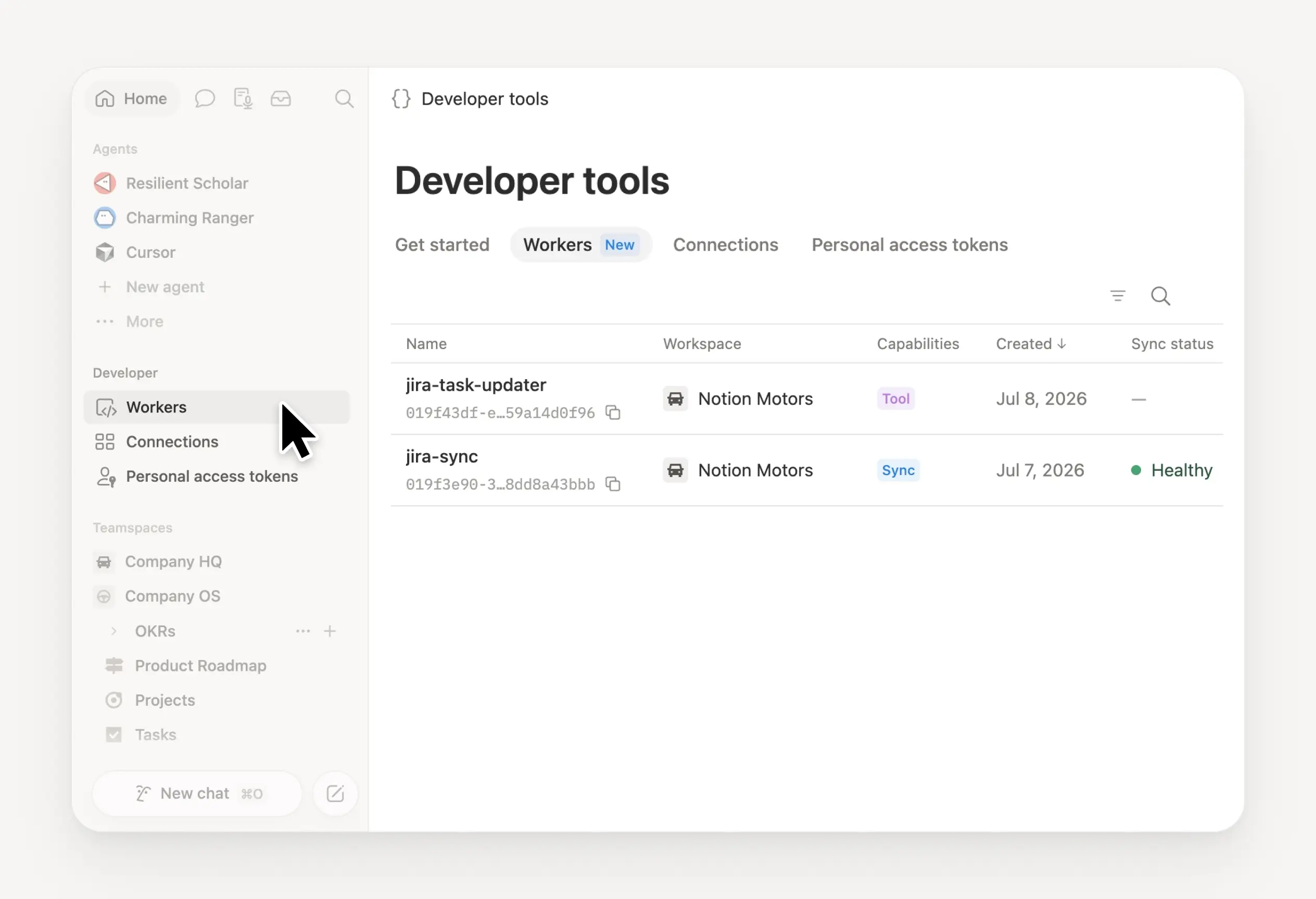
Manage your Workers, connections, and personal access tokens from the new Developer section of your Notion workspace. See an overview of deployed Workers and logs behind every run.
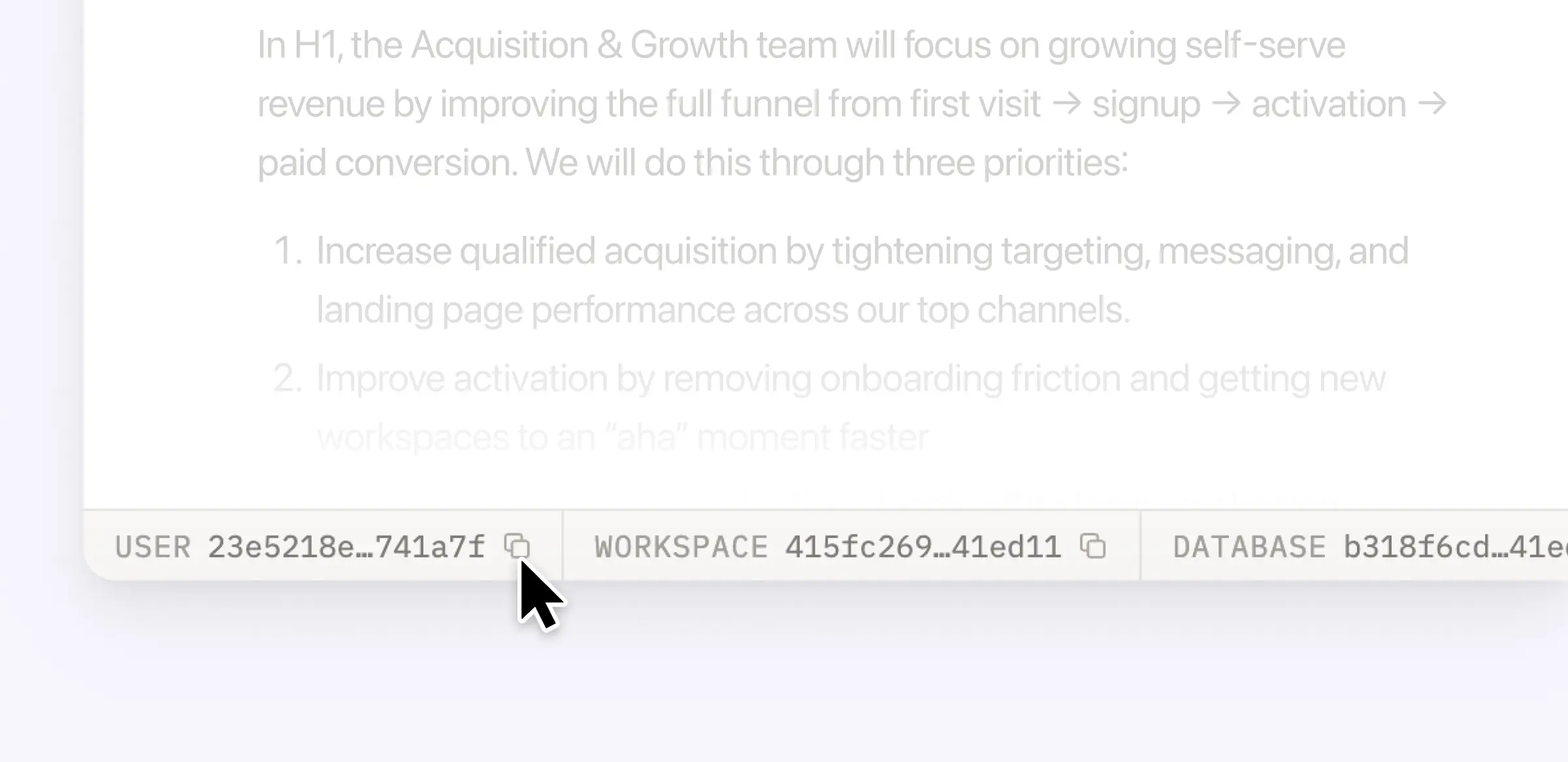
Plus, the new developer bar makes it easy for anyone building with the API to find IDs for the page, database, block, workspace, or user. Copy any one of them, or the full API object, in one click.
Get started from Settings → Developer → Enable developer features. Go there now →
No more guessing which model to use.
The model picker now leads with a shortlist of models made for your hardest tasks, and every model has a scorecard to compare speed, intelligence, and cost. Pin your favorites for easy access and dial up the effort when you need a more thorough answer.
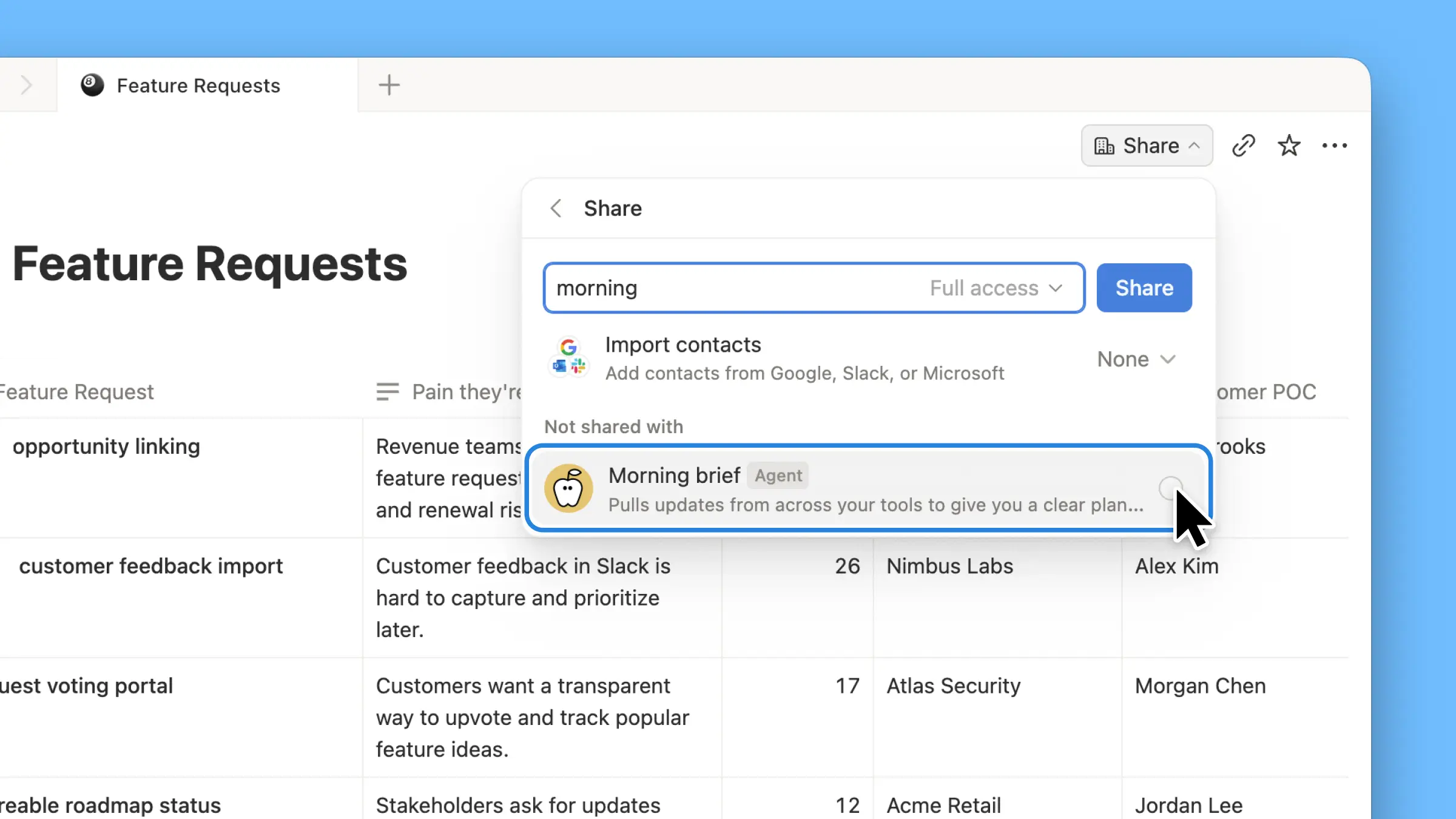
エージェントにとって役立つドキュメントやデータベースを見つけましたか?共有メニューから直接共有できるようになりました。エージェントの設定にクリックで移動する必要はありません。
Custom Agents can now run right after an AI Meeting Note is finished. No more need to manually update status trackers, post recaps to the project channel, or file tickets by hand.
Here’s a few of our favorite post-meeting workflows:
Update your project tracker with the latest status
Post a recap to Slack or email with decisions and next steps
Turn feedback into tickets for your engineering team
To get started, open your Custom Agent’s settings, add the Meeting note summarized trigger, and choose which meetings kick it off. After your next call, your agent will get to work.
Accessibility win! High contrast mode is a new display option that makes text, icons, and borders easier to read.
Try it by going to Settings > Preferences > Appearance. Available on desktop and web.
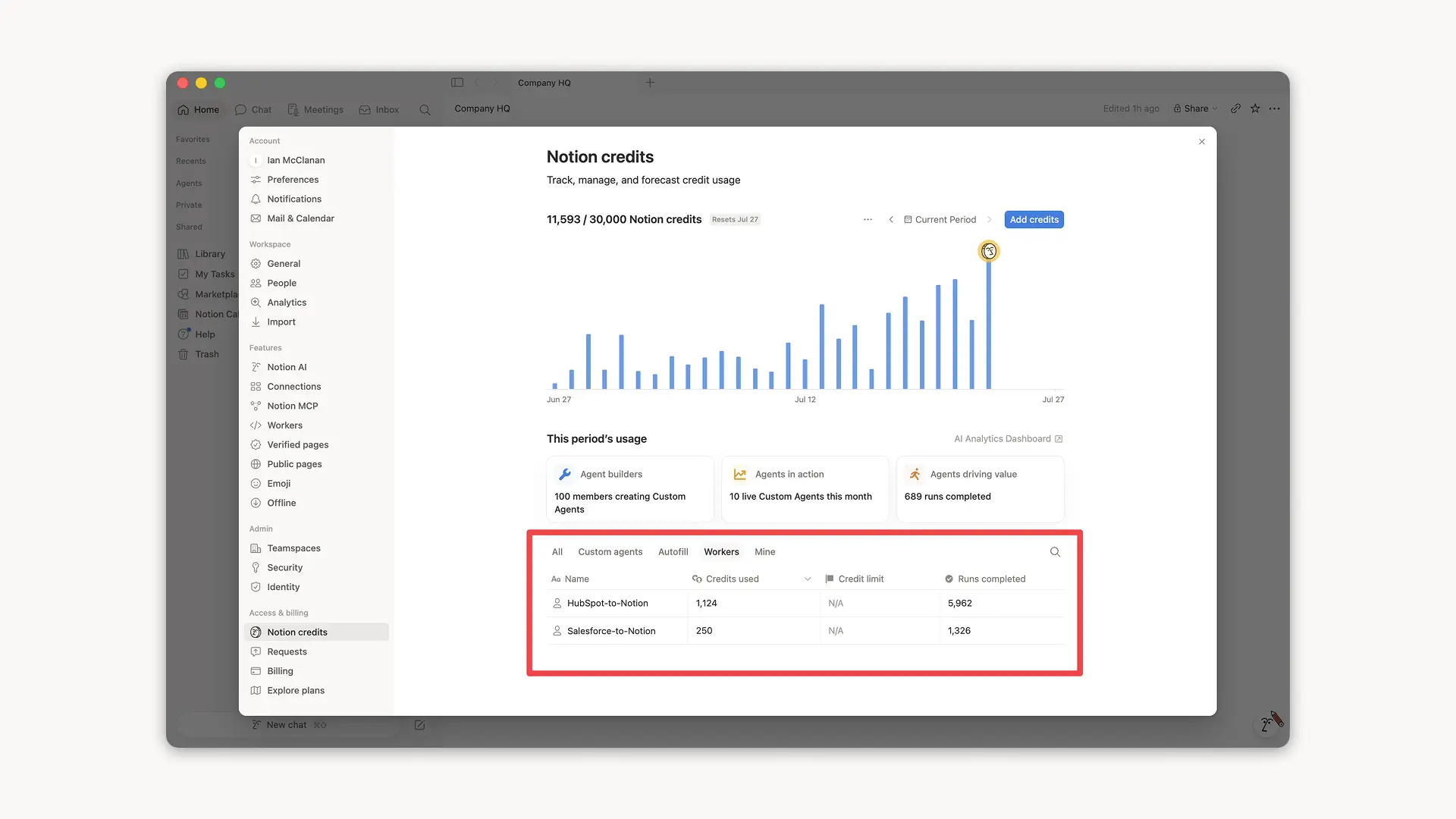
Notion Workers run custom code on Notion's infrastructure to sync data, power tools for Custom Agents, and trigger webhook automations.
Now you can track your Workers’ usage in the credits dashboard, alongside your other spend.
Workers are free to try during the beta on Business and Enterprise plans (including Business trials). Usage is now visible in the dashboard to help your team size credits before the beta ends.
Learn more about the Notion Workers beta and pricing in our Help Center →
エージェントは、スケジュールの表示と管理に使用できる新しいカレンダーツールを手に入れました。通話への参加、招待の送信、全員に都合のよい時間の検索。これらすべてをチャットから行えます。
エージェントに次のように話しかけてみてください。
今日のスケジュールは?
Sandraさんとのミーティングを午後1時に移動して
明日の午後2時から5時までのスケジュールリンクを作成して
まず、エージェントに「カレンダーを接続する」ように指示するか、設定 → コネクトに移動します。デスクトップで利用可能です。モバイル版を近日リリース予定です!
Notion Workersを共有できるようになりました。
チームでWorkerを構築し、ブラッシュアップしましょう。または、共有してチームメイトが自分のカスタムエージェントに接続できるようにすることもできます。1人のチームメイトが構築したSalesforce Workerが、セールスチームとマーケティングチーム全体のエージェントを支えるようになったと想像してみてください。
接続可能では、チームメイトがあなたのWorkerを使用できるようになり、フルアクセスでは、チームメイトがWorkerを改善したり、新しい問題に適用したりできます。
開発者ポータルから設定 → 接続 → 開発者ポータルに移動するか、app.notion.com/developersにアクセスして、使い始めましょう。
お気に入りのエージェントがポケットに。どこからでも作業を効率化できます。
エレベーターにいる間に次のミーティングの準備を整えましょう。散歩中にアイデアを書き出し、デスクに戻るまでにエージェントが次のステップを進めるようにしましょう。
アイデアは完璧なタイミングを待ちません。残りはエージェントにお任せください。